SubscriberSubscriber
Browse products

Food and drink

Restaurant, café and bakery website templates

Five complete food-and-drink website templates with live demos: a wood-fire grill, two bakeries, a coffee roastery and a tea garden. Try each one, then rebuild it with your own details.

A food business lives or dies on the first screen: what it serves, where it is, when it is open and how to book or order. These five templates are complete landing pages, hero to footer, built so that the answer to those questions is on screen before the scroll animation starts to show off.

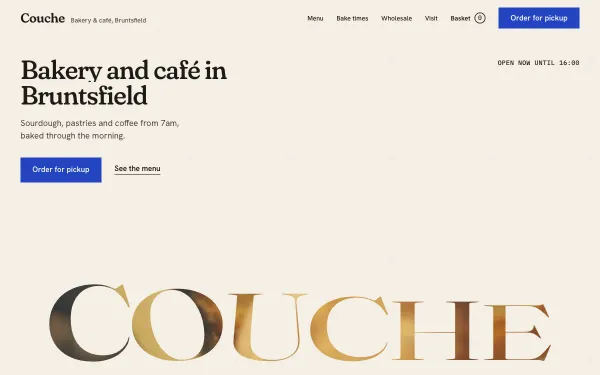
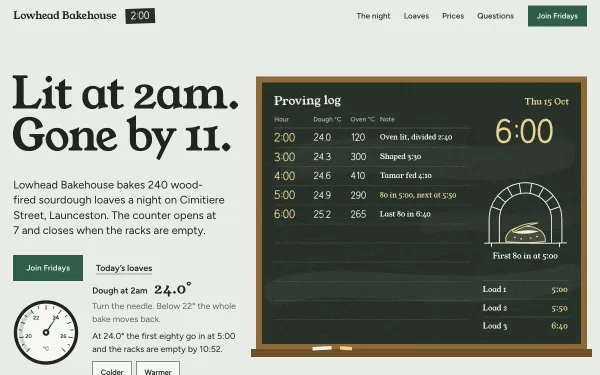
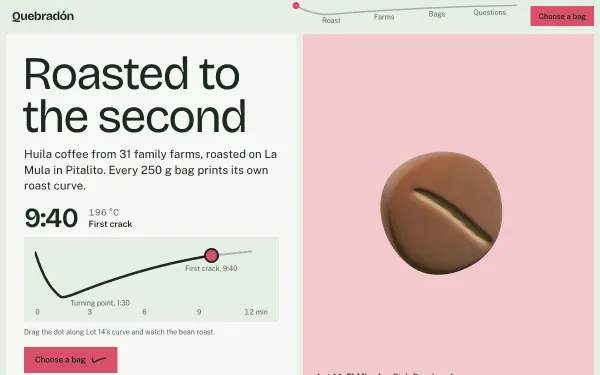
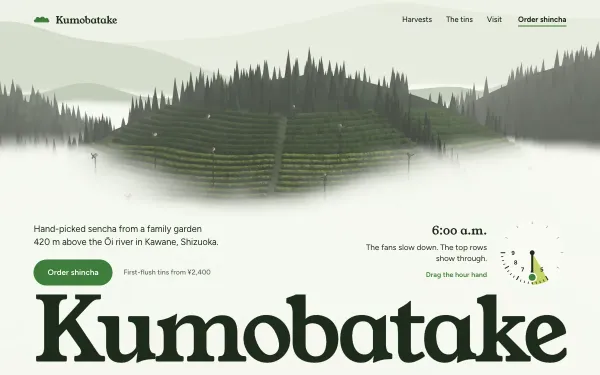
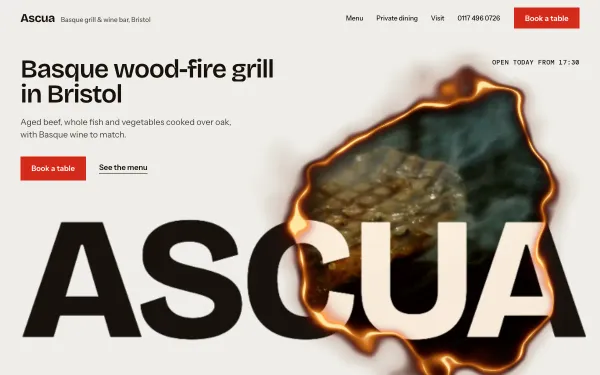
They cover the common cases. A grill and wine bar with a booking section, a bakery café with a working pickup basket, a sourdough bakehouse told as a chalk proving log, a coffee roastery where you drag a roast curve and a 3D bean changes colour, and a tea garden that follows the hours of a morning. Each one is a live demo you can open, scroll and tune before you decide.

The brands in the demos are invented, so the names, addresses and menus are placeholders. The point is the structure and the motion: swap in your own name, photos and opening hours with the "Make it mine" wizard in the template viewer, then use the prompt or, with All Access, the real source files.
5 live templates

What to look for

Menu and booking come early

Check that opening hours, the menu and a booking or order action are reachable without hunting. Ascua and Couche put them in their own sections, not behind a menu.

Real photography slots

Food sells on photos. Each template marks where your own photos go and keeps the crop stable on a phone.

Works on a phone

Most diners open a restaurant site on a phone. All five templates are checked at 375 px with no sideways scroll and a reduced-motion fallback.

How you use them

  1. Try it live. Every demo is free: open it, scroll it, move the Playground knobs.
  2. Make it yours. Open a template and choose "Make it mine": your name, colours, sections and photos, then copy the prompt (subscribers) into Claude, Cursor, Lovable, v0 or Bolt. Where to paste it.
  3. Or start from the real files. With All Access, or a single template, download the source package and edit it instead of rebuilding from scratch. Publish it free.

Prompts Pro $169/month · All Access $299/month (prompts and source for everything) · single template $39 one-time. See pricing.

Questions, answered

Can I use these for a real restaurant or bakery?

Yes. The demo brands are invented, so replace the name, copy, photos and hours with yours. A single template ($39 one-time) or All Access covers a business site; see the licence page for the exact terms.

Do I need to know how to code?

No. Open a template, choose "Make it mine", fill in your business details, and paste the resulting prompt into an AI tool such as Claude, Cursor, Lovable, v0 or Bolt. The guides page shows where to paste it.

Will it be slow on a phone?

Each template is tested on a 375 px screen, and the performance and Lighthouse numbers are shown in the template viewer, so you can see them before you choose.

Can I take online orders?

The templates show menus, booking and a pickup basket as design patterns. Connecting real payments or a booking service is up to you; the guides explain how to ask your AI tool to add one.

Subscribers

Unlock prompts and code

Enter the access key from your subscription. This browser stays signed in for 30 days.

See plans